Dino Custom Object Detection
The project code and how to execute every step of the code details are available at my repository of the project
Project motivation and solution
Automate dataset creation
Nowadays big foundation models are being used for autolabeling datasets for image object detection and segmentation. Tools like Roboflow and Encord already incorporate this autolabeling, CVAT can also roboflow under the hood. In this project we will show how to use autolabeling in python working with the models directly. Besides that, instead of autolabeling with general labels like ‘human face’ we will be able to insert our own desired labels into the datasets e.g., (specific person/object names).
Instead of having to manually crop your objects and manually annotate them with your desired labels the project uses GroundingDINO to detect your desired object/person in a image or video using a text prompt such as for example ‘human face’. The model will output the coordinates of bounding boxes which can be used to crop images and save them into a folder for generating a dataset of our chosen object with a custom label. In this stage of creating the datasets make sure the prompt used does not capture undesired objects into the dataset or manually remove them after.
This allows us to automate the creation of image classification datasets.
Pretrained DINO with linear head for fast training
Using the datasets created we simply load and finetune a pretrained DINO model with a linear head on top for image classification. In our specific case a single epoch was needed to achieve 99% accuracy on the test set, so the training only took a few seconds.
App for inference with both GroudingDINO and Custom Label Trained Classifier
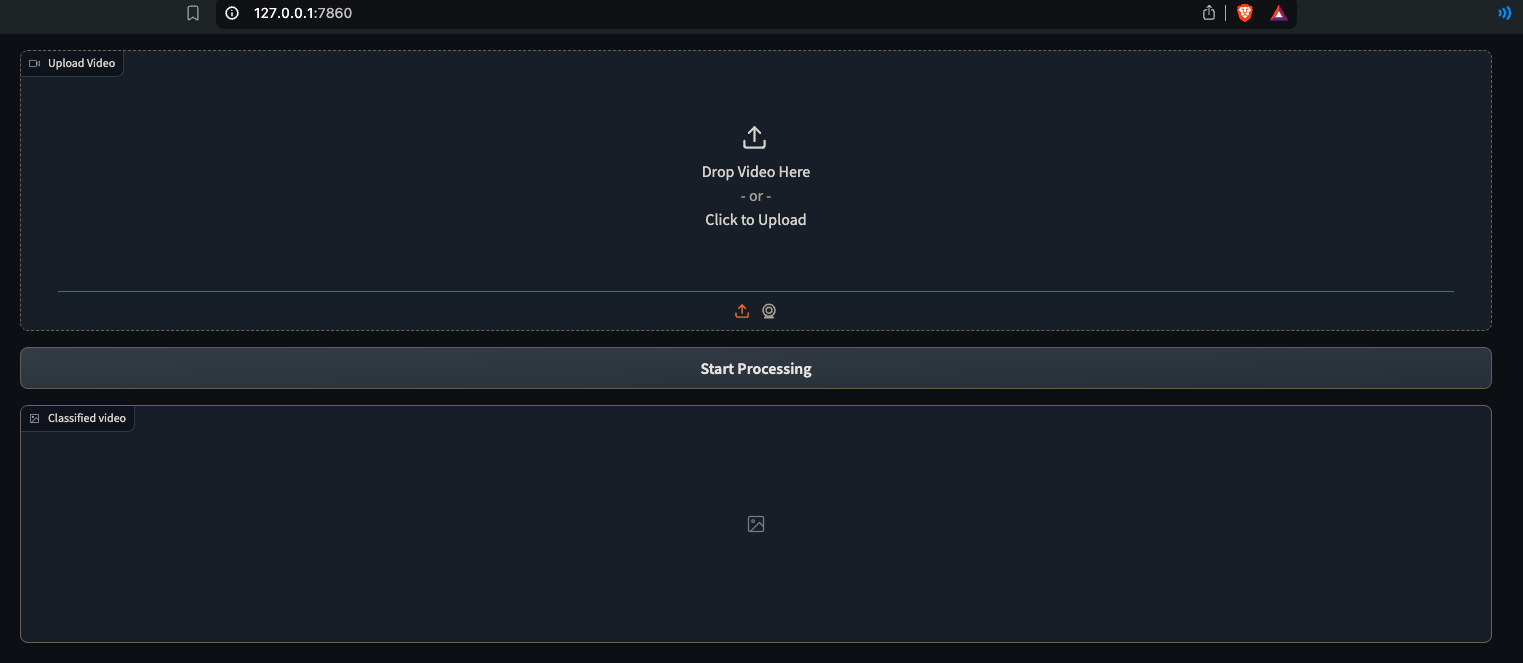
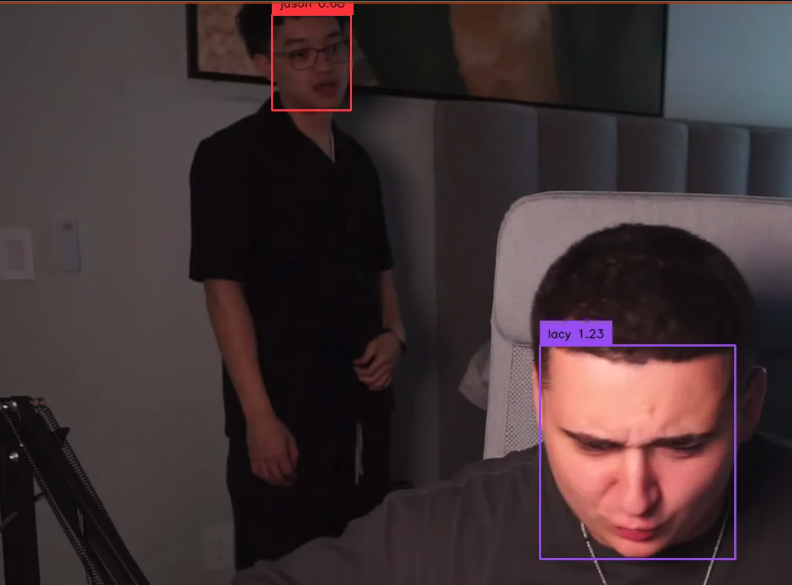
Finally we combine both the GroundingDINO model using the same text prompt of ‘human face’, or whatever text prompt was used to generated the datasets, which crops objects for the now DINO trained model to classify with our custom labels. This allows the fast creation of an object detection and classification system with custom labels. The model combination was transformed into a app using Gradio as depicted in the following pictures.